Local by default.
Your captures are written to your own Mac and nowhere else. There is no password, nothing uploaded on its own, and no server holding your pictures. Payments go through , so no card number ever reaches us either.
On this Mac. Photos, videos and screenshots are written to your own disk. Sent anywhere on their own: nothing. A clip goes out only if you choose Transcribe on it.
Lock Cappture
Keep your library private when you step away. Turn it on or off whenever you like, and choose how soon it locks.
- Touch IDOn a Mac with Touch ID, or a Magic Keyboard that has it.
- A passwordOne of your own, or the one you use for your Mac.
Your photos are local, and they stay local
Everything you capture is written to your own Mac and nowhere else. Nothing is uploaded on its own, there is no backup of it on our side, and no way for us to look at it. The one exception is yours to make: Transcribe sends a clip's audio from your Mac to the AI provider whose key you added, only when you choose it — never through us.
Payments go through Stripe
The card fields on our checkout are Stripe's own, inside an iframe, so card numbers never reach our servers. We receive an email address, a payment identifier, and — for your receipt — the card's brand and last four digits.
No telemetry, at all
The app does not report what you photograph, which features you use, or how often you open it. There is no analytics package in the binary.
Everything the app talks to
Two on their own, three when you ask. That is the complete list.
Where your captures go
Kept on your MacAll of them
Sent anywhere without you askingNone
0 bytes
of your photos, videos and screenshots leave your Mac without you asking.
Photos
0 B sent
Videos
0 B sent
Screenshots
0 B sent
A licence check, about once a week, and once when a Mac is first activated.
- Your licence key
- A one-way hash of the machine identifier
- The Mac's name, at activation, so you can tell your Macs apart
Our serverbold-basilisk-860.convex.site
2 automatic · 3 when you ask4 hosts
Every pixel stays on this Mac.
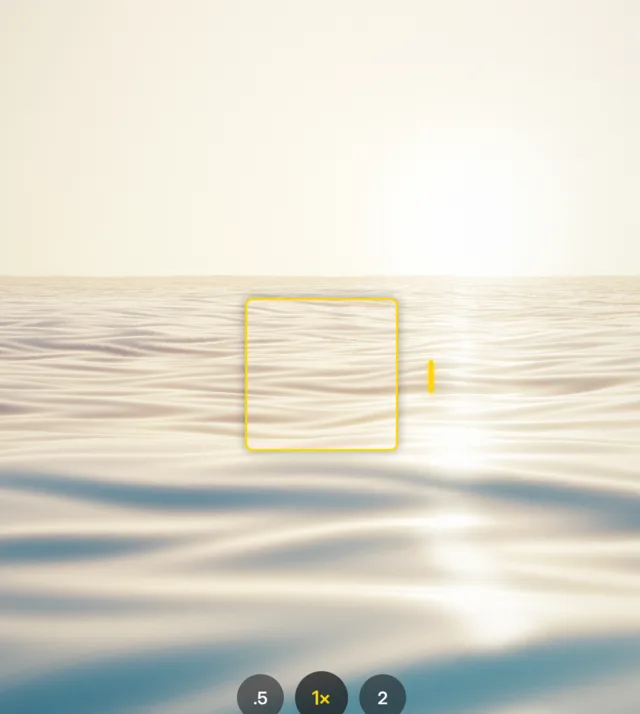
Drag across a capture to see what it is underneath: light, stored as data, on your own disk. Neither the picture nor its data is sent anywhere unless you send it.

Card numbers stop at Stripe.
The card fields at checkout are Stripe’s own. The number goes to them; what comes back to us is a payment identifier, your email address, and the card’s brand and last four digits for the receipt.
How Stripe secures payments- PCI-DSS Level 1
- The highest certification there is.
- 0
- Card numbers that reach our servers.
- 3-D Secure
- Where your bank asks for it.
- 14 days
- To ask for a refund, for any reason.
Typed into Stripe’s own fields
What Stripe hands back
Cappture never sees the left-hand side. What reaches us is the right: an ID, the brand and the last four.
When Cloud comes, it is end to end.
Optional, and off until you turn it on. Your captures are locked on your Mac before they leave it, you hold the keys, and we hold nothing that opens them — not a password reset, not a master key, not a back door.
See Cappture Cloud- AES-256-GCM
- Authenticated encryption — the cipher banks and governments use.
- 1 key per capture
- Each file has its own key, wrapped by yours.
- 0
- Keys, passwords or pictures we can read.
- Names too
- File names, dates and text are encrypted with the picture.
- 5 security keys
- One for each of your Macs, given to you when you turn Cloud on.
- 0 resets
- No one, us included, can reset your way in. Only your keys open it.
On your Mac
What the cloud holds





The left-hand side never leaves your Mac. The cloud stores the right: a random name, the cipher and bytes only your key opens.
01
A key is made on your Mac
When you turn Cloud on, your Mac makes a 256-bit key and keeps it in the Keychain. It is never uploaded.
02
Each capture is locked on its own
Every photo, video and screenshot gets a fresh key, sealed with AES-256-GCM, and that key is wrapped by yours.
03
Only ciphertext is uploaded
Our storage receives a random name and encrypted bytes. Were they altered, the tag would not match and your Mac would refuse them.
04
Five security keys, one per Mac
When you turn Cloud on you receive five security keys, one for each Mac your licence covers. A Mac joins only with its own key, approved from one you already use.
Checking it yourself
Claims about privacy are cheap. This one is testable in under a minute: turn off your Wi-Fi and use the app. Shoot, edit, save to Photos. Everything works, because none of it depends on us.
If you want to go further, watch the network. Little Snitch or macOS’s own tooling will show you exactly what the app contacts — the two hosts listed above, and no image data going anywhere.
What does leave your Mac
Being straight about this is the only way the paragraph above is worth anything. The app contacts two hosts, both listed in full above, and none of what it sends is a photo.
Two things reach us only because you asked for them: a report, if you choose to send one — your name, email and message, the app and macOS versions, and a picture only if you attach it — and your email address, when you ask the app to send you your licence key.
Transcribe never touches our server. When you choose it on a clip, the clip’s audio goes from your Mac straight to the AI provider whose API key you added, under your own account with them.
Payment
Checkout happens in Stripe’s own fields. We never see, hold or transmit a card number — there is nowhere in our code where one could be stored, because one never arrives.
Stripe is a PCI-DSS Level 1 service provider, which is the highest level there is. What comes back to us is an email address, an identifier for the payment, and whether it was paid.
Your licence key
The key is what the app authenticates with, so treat it like a password: do not publish it. Your account is an email address and nothing else — there is no password on it, because signing in to your licence page is done by a link emailed to the address you bought with, and that link works once.
On our side we store only a hash of each sign-in token, so the table that grants access holds nothing anyone could sign in with.
Stripe's own account of it
We can tell you what we do with a card number — nothing, because we never hold one — but the company that does hold it should speak for itself. Read Stripe’s privacy and security.
There is no cloud today
No server holds a photo you took. What you shoot is written to your Mac and stays there, and the only way a capture reaches another machine is if you move it yourself. Nothing to turn off, nothing to audit, and nothing anyone could compel us to hand over.
A cloud is coming, and it will be end-to-end encrypted: captures encrypted on your Mac, with the keys held on your Mac, so what reaches our storage is ciphertext we cannot read. We would not be able to hand over your pictures if we were asked to, which is the only version of this promise worth making.
It will also be optional. If you never want a capture to leave your machine, that stays exactly as it is now — the paragraph above does not become a hedge when the cloud arrives.
How the lock will work — the cipher, the keys, the five security keys — is set out above, and in full on the Cloud page.
Telling us about a problem
If you find a security issue, email hello@getcappture.com before publishing it and we will work with you on a fix. We will not threaten you for reporting something in good faith.
The full detail of what we hold is in the privacy policy.
Last updated 5 October 2026.